
Tea number three. Ship it Friday 🍵

Week off. The team is in great hands 🌴

Front row for the design keynote. Notes in #studio later.


Chapsi brings team chat, projects and tasks, support, time and design sign-off into one calm place, whether you run your own projects or work for clients. Chapi, your AI teammate, keeps it all moving.
You're on the list. We'll be in touch before launch.


Sign in with Google or Microsoft. Bring your channels across, or start fresh with a channel per team, project or client.
Create projects in a click. Invite clients or stakeholders as free guests, and they see only what you share.
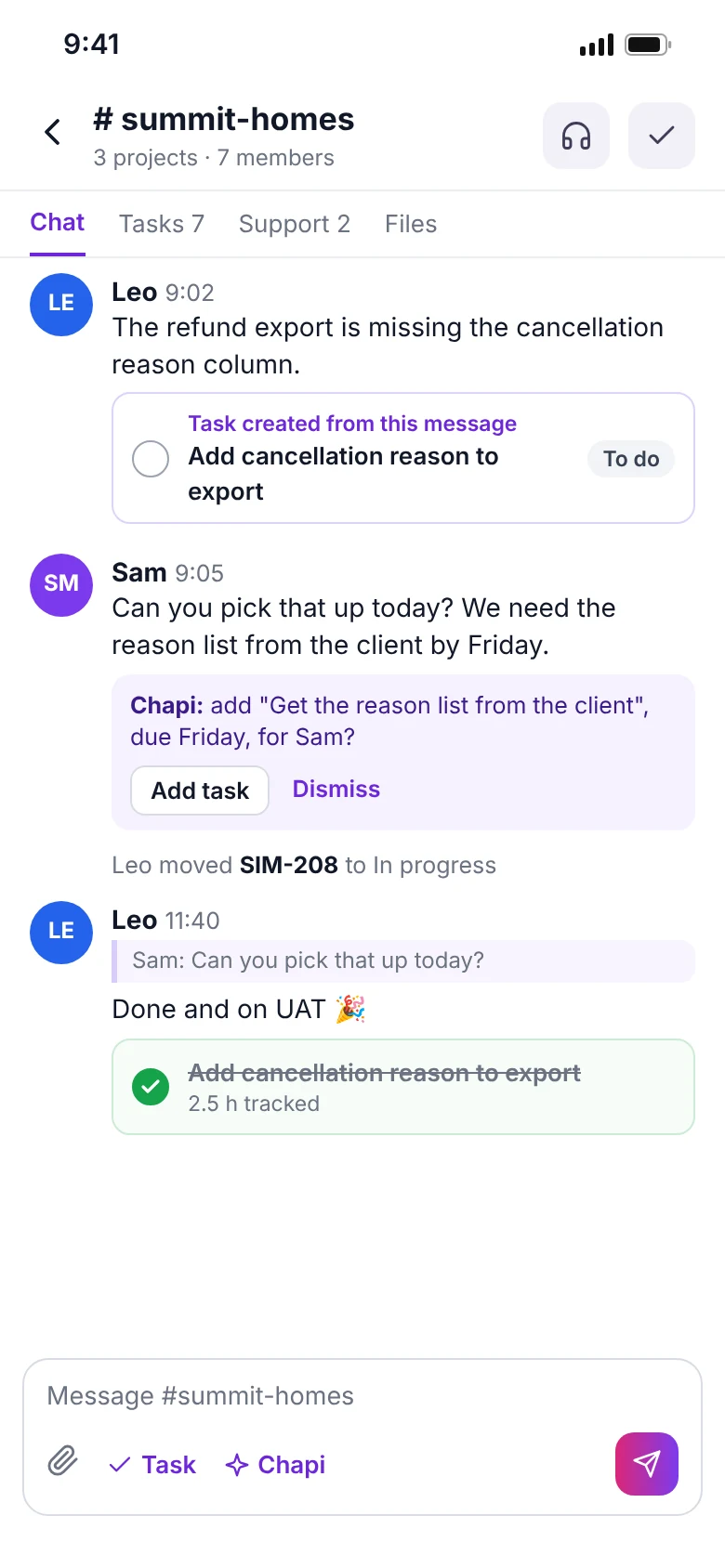
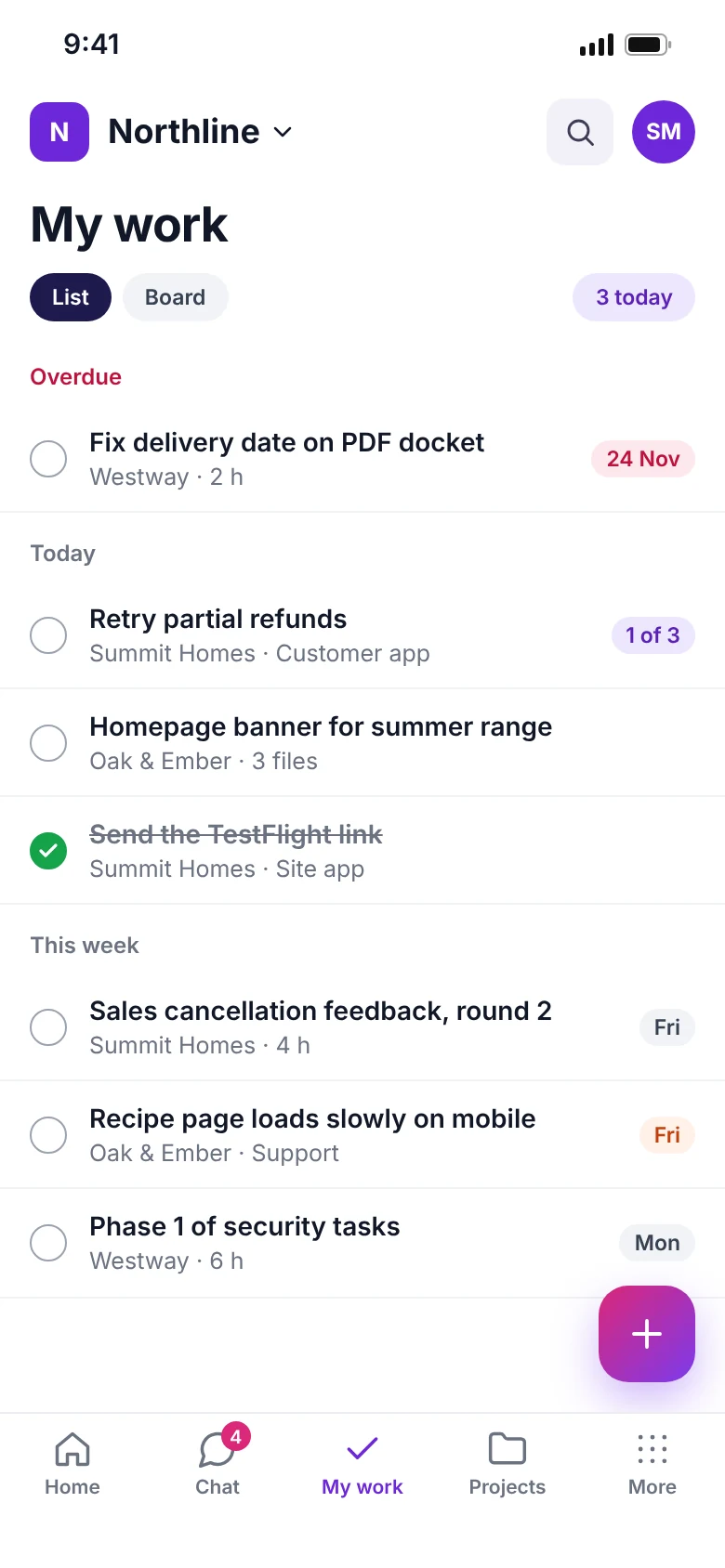
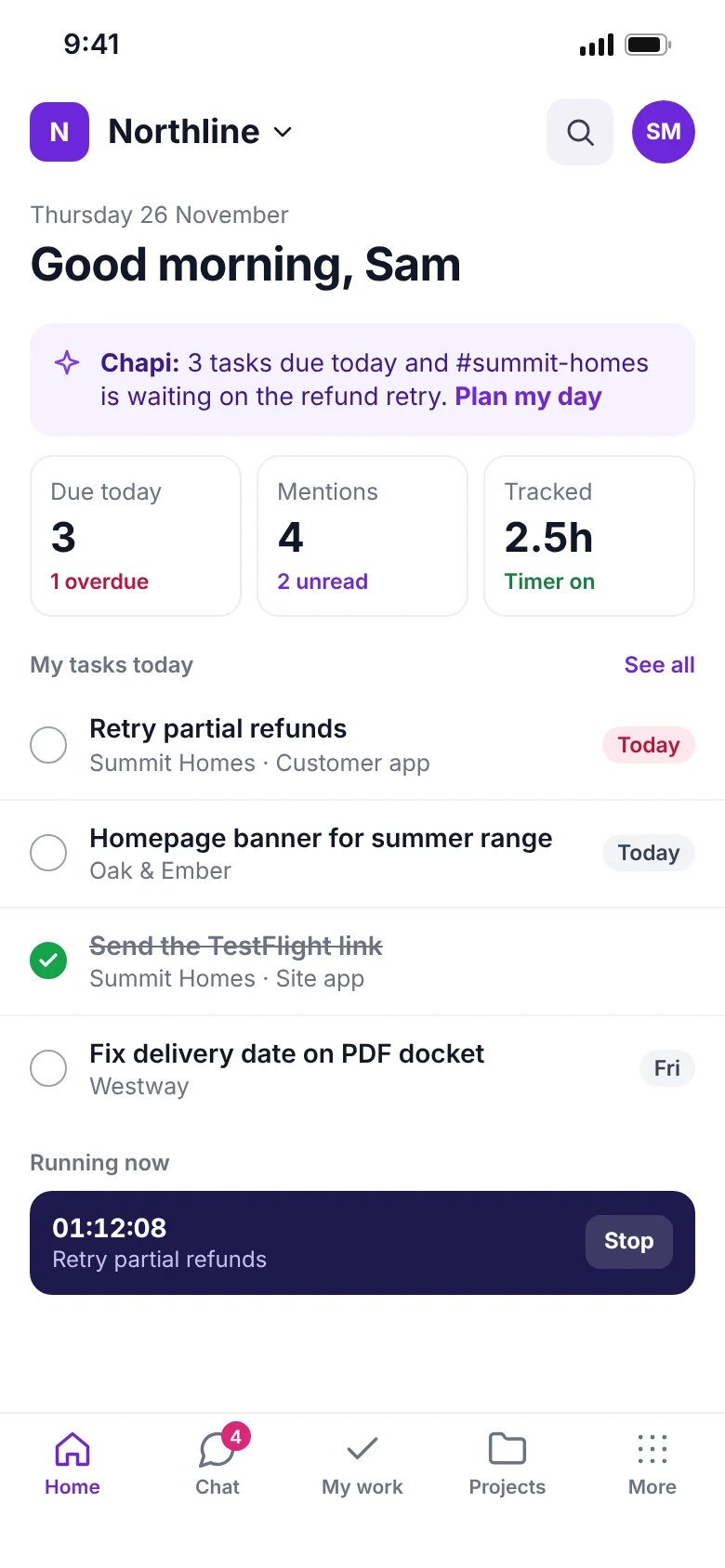
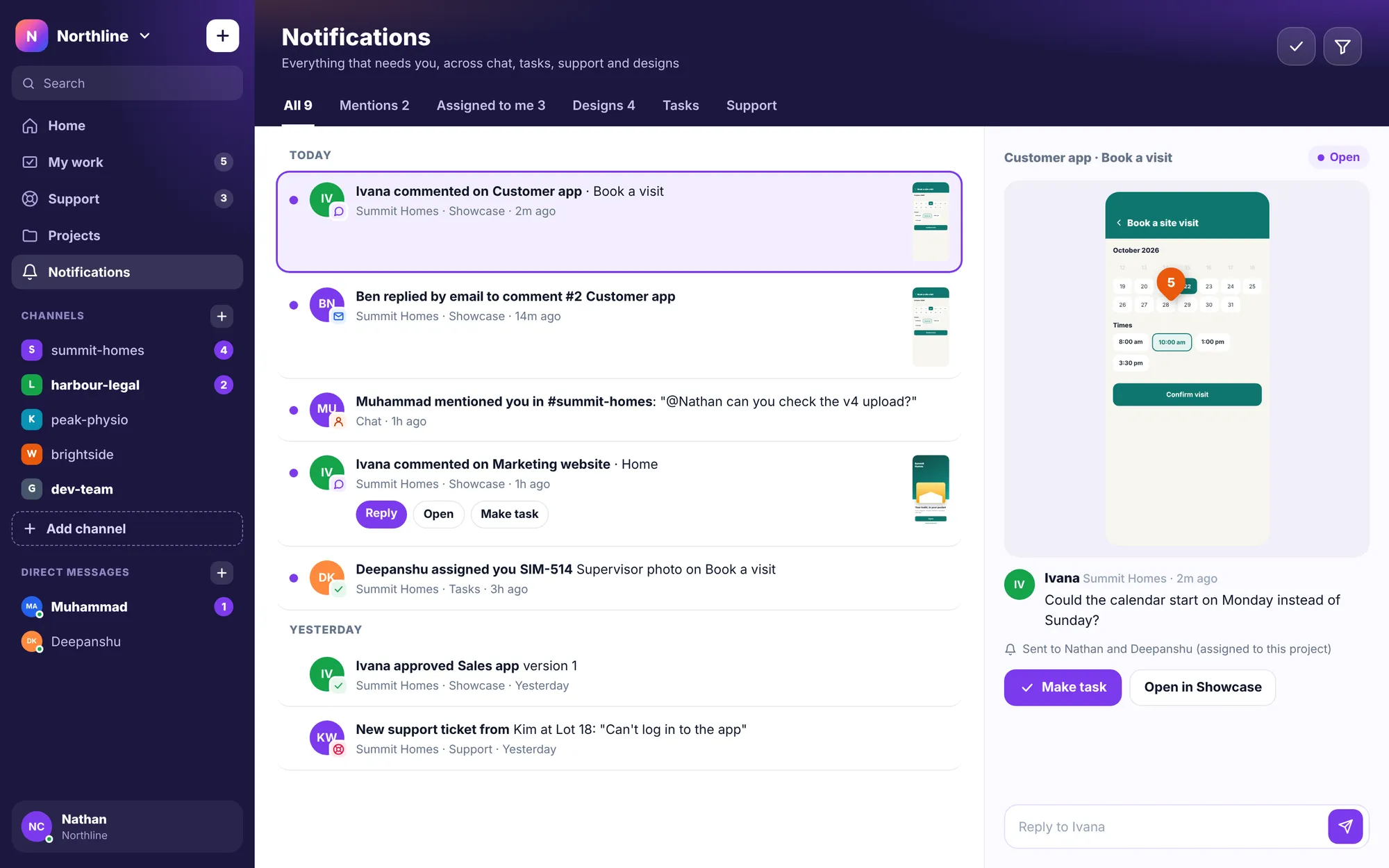
Messages become tasks, emails become tickets, and everyone gets a plan for the day.
Chat, tasks, projects, support, estimates, time, design reviews and quick calls, with Chapi across all of them. Every conversation can become a task, a ticket or a timesheet entry in a tap, and you switch on only the modules you need.
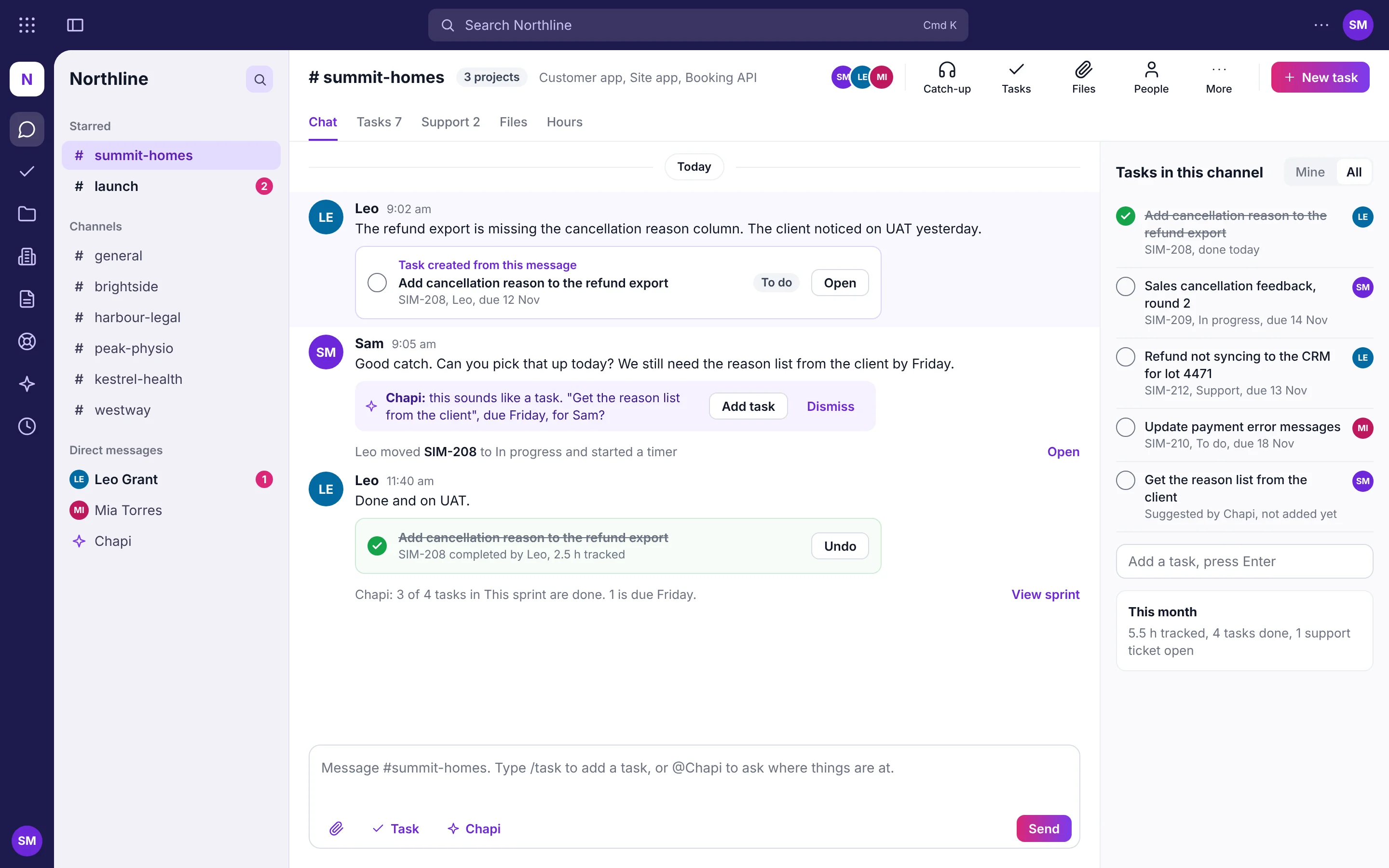
Channels for every team, project and client, with replies that stay in the conversation instead of hiding in threads.
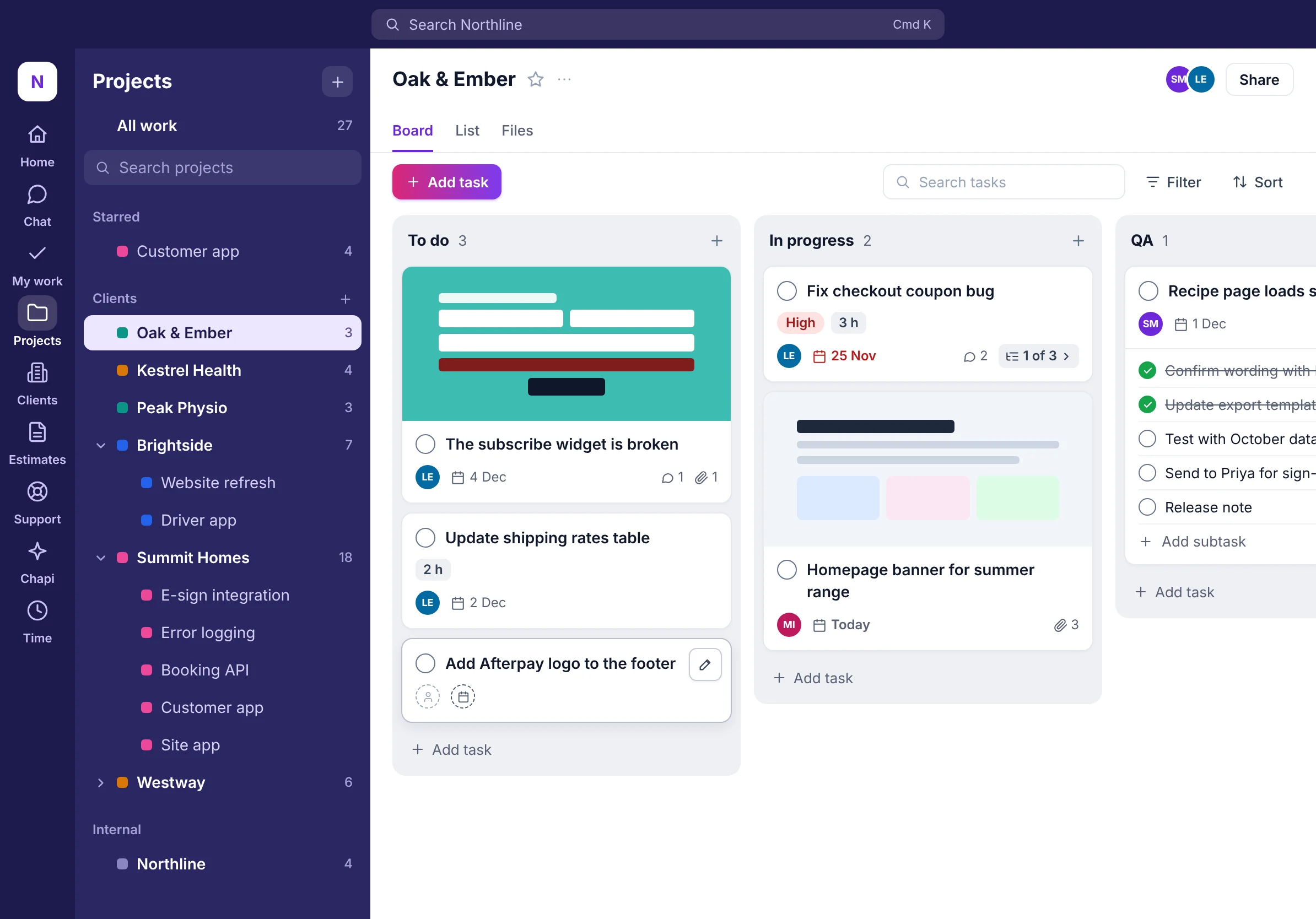
Turn any message into a task. Board or list, subtasks, files and a task pane that opens over the board, linked back to the chat it came from.
Requests emailed in from clients or colleagues, support hours that count down as you log time, and a clean portal anyone can use.
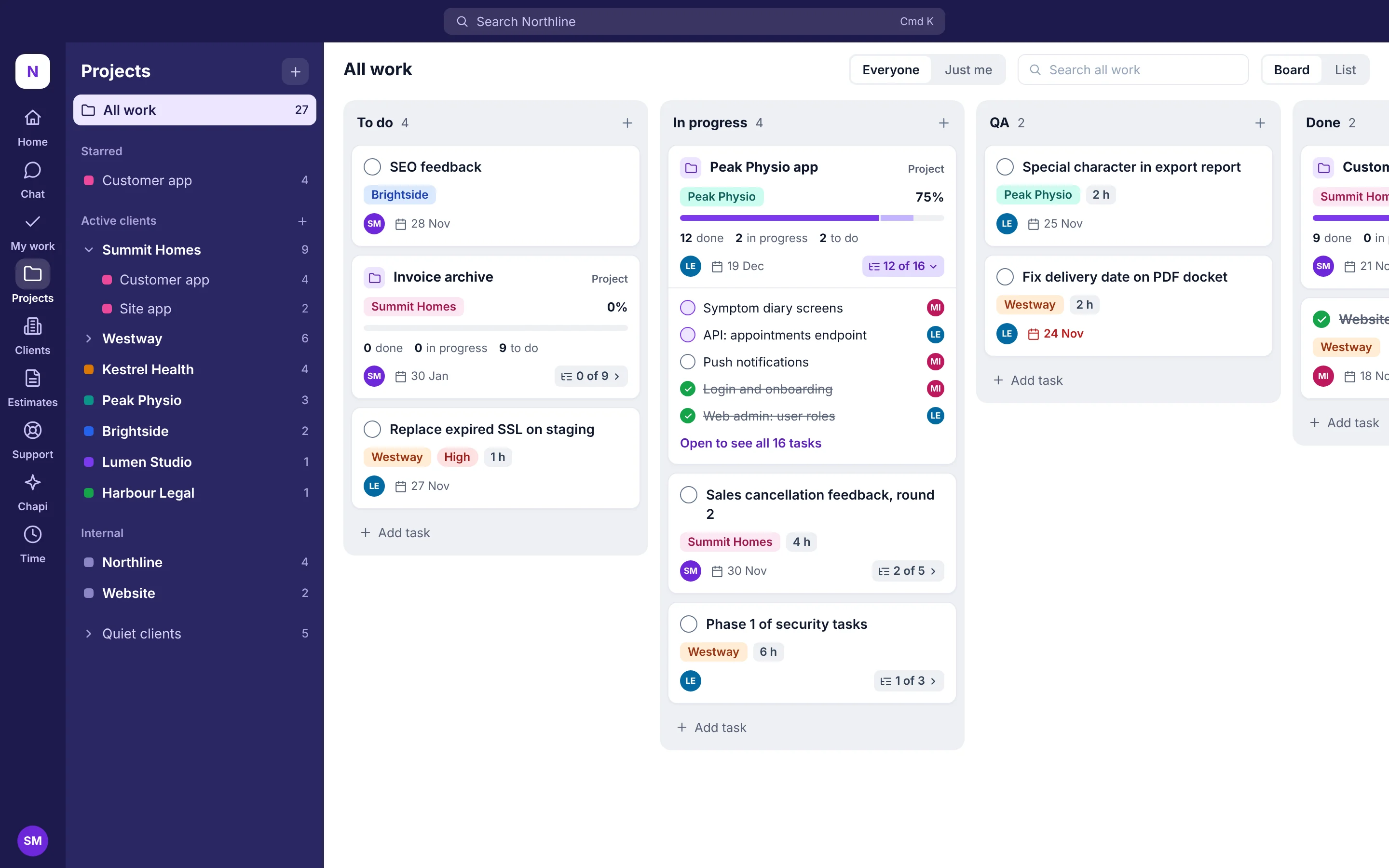
Projects grouped by team or client. Small jobs live on one board, and big projects roll up into a single card in All work.
A small desktop timer that remembers your projects and tasks, logs hours to the right task and keeps the team out of timesheets.
Scope a job in hours or as a fixed price, keep pricing owner-only, and turn it into a project, a change request or a task the moment it's won.
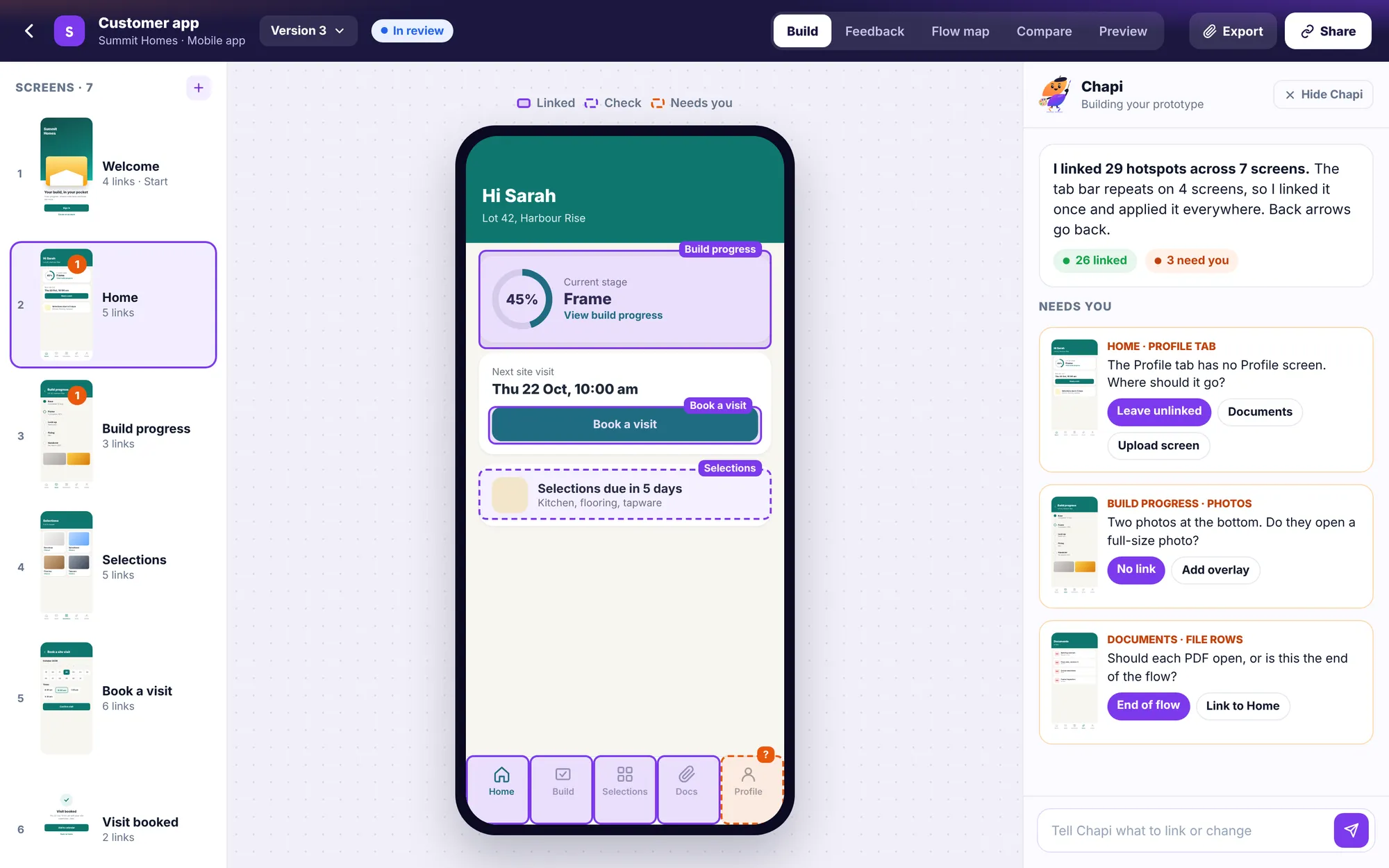
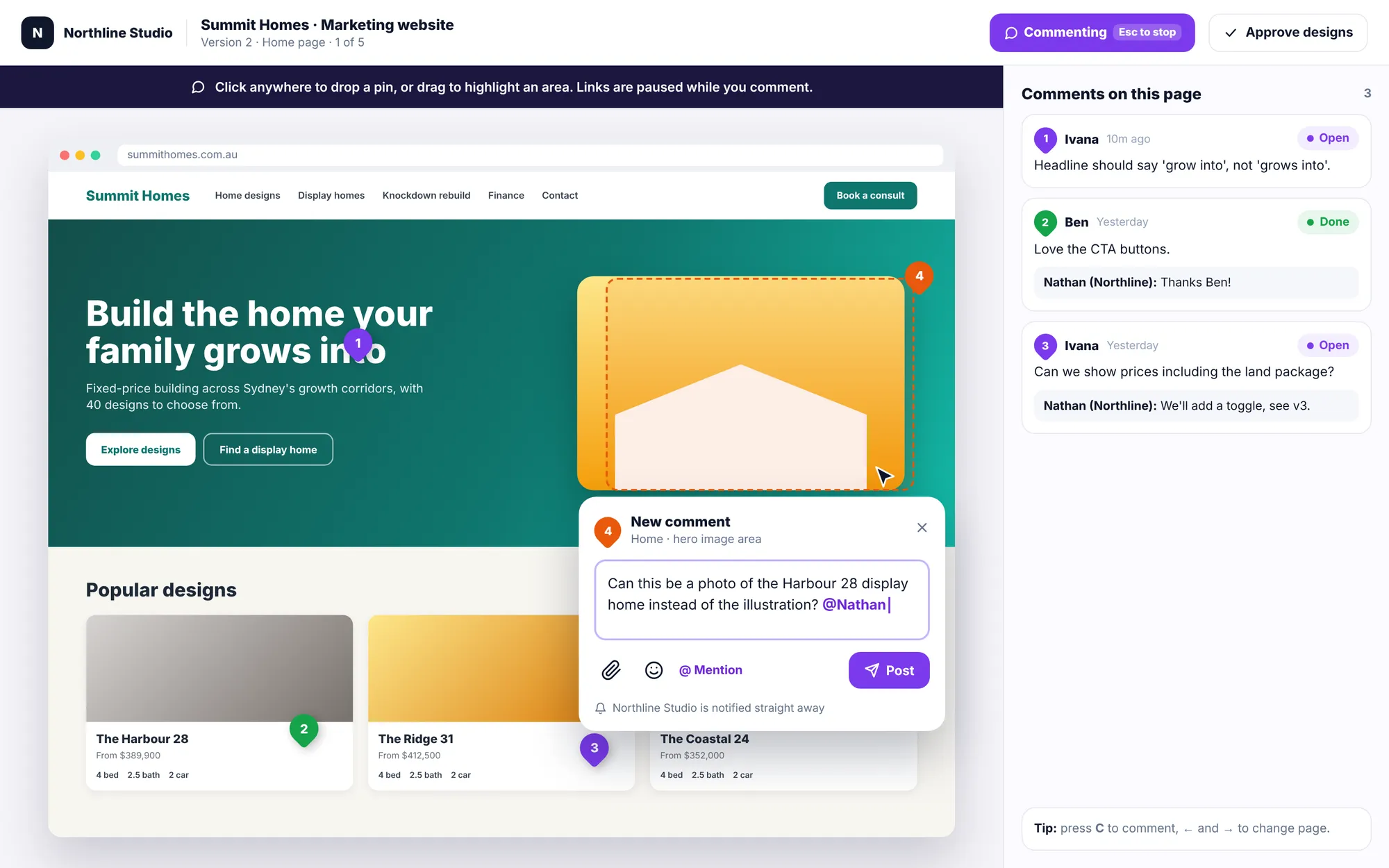
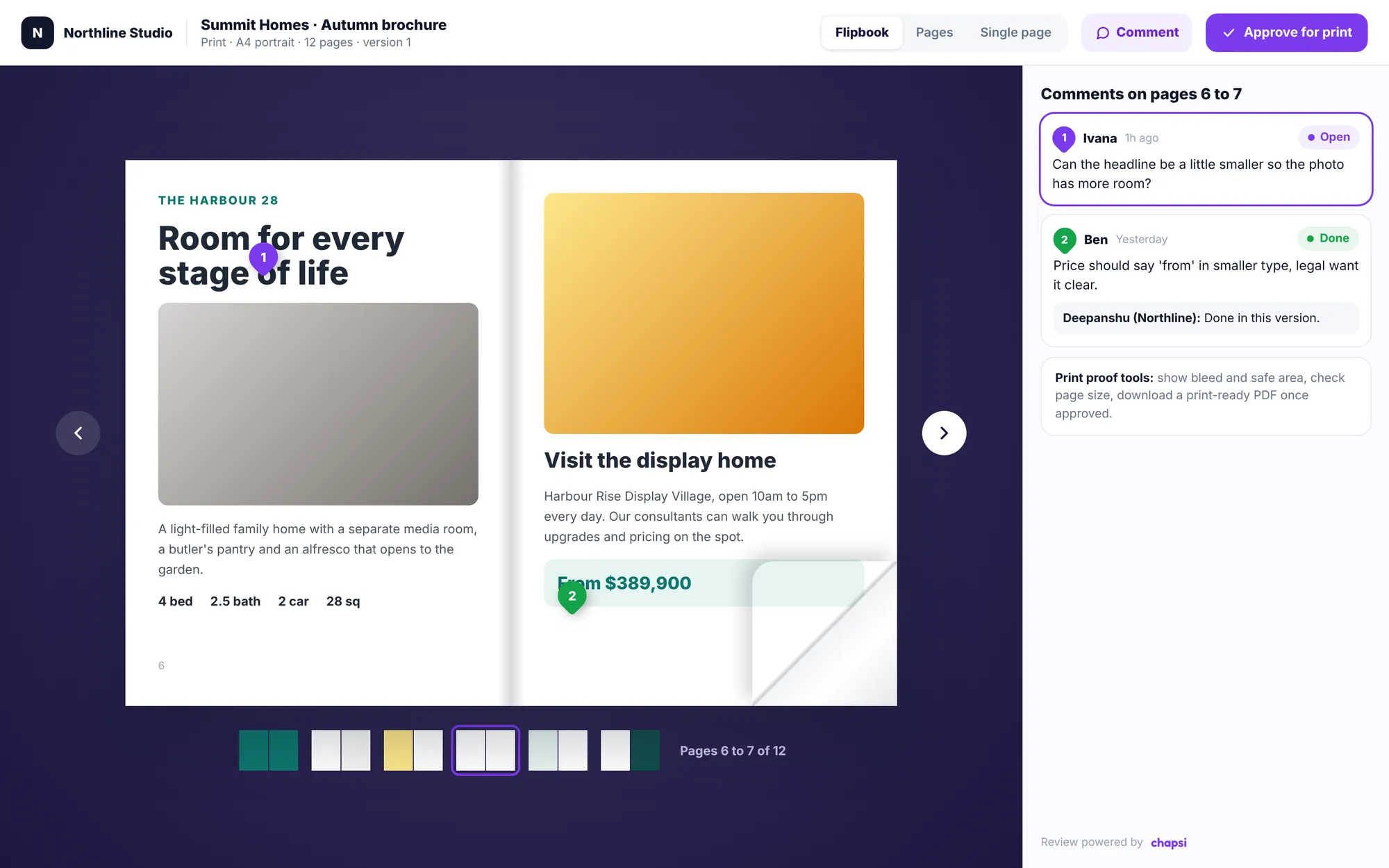
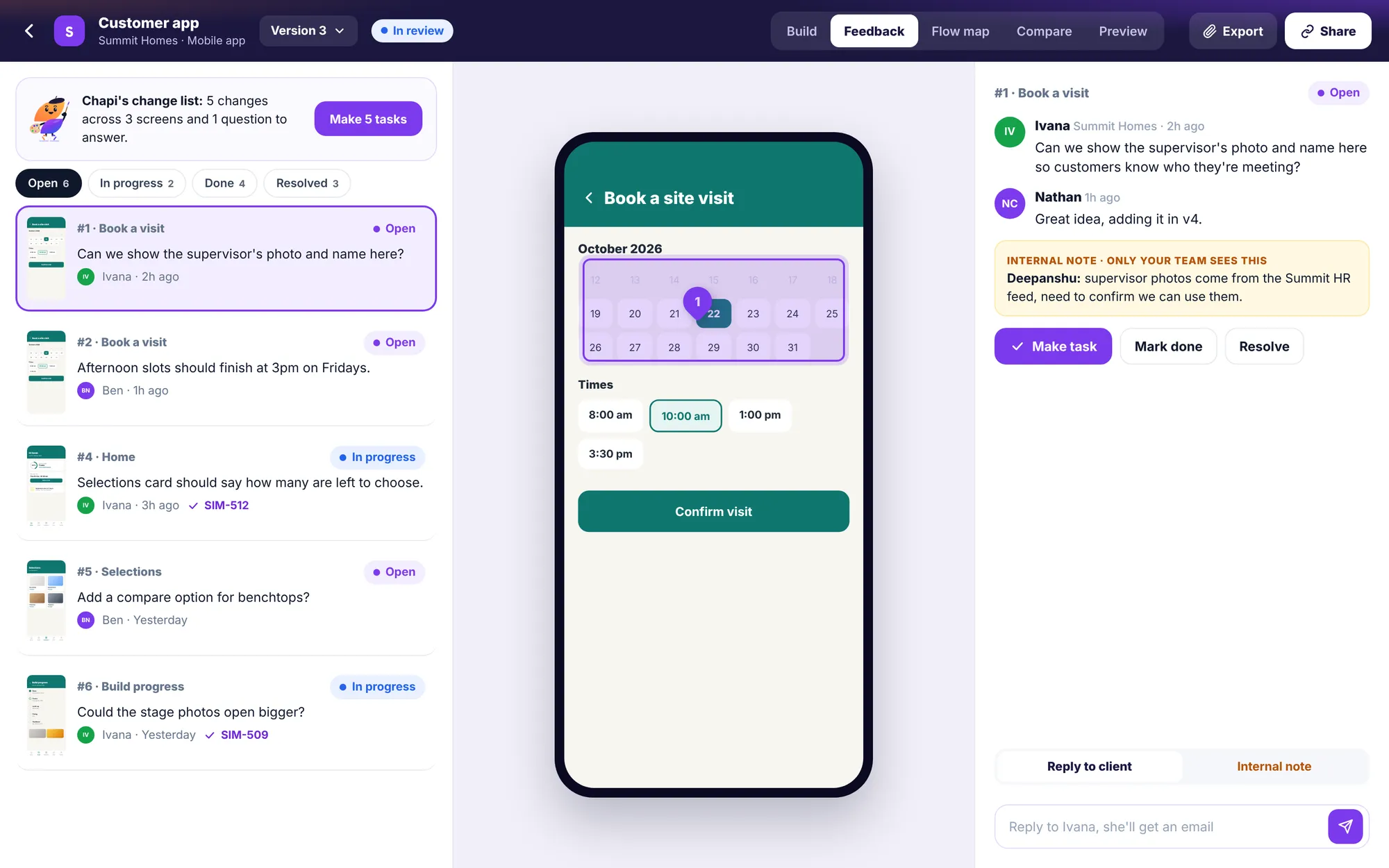
Share designs, prototypes and brochures with clients. They click anywhere to comment, and feedback lands as tasks for the team.
Start a quick call from any channel. It pops up in the corner so you can keep working, and Chapi can note the actions as tasks.
Most teams pay for a team chat app, a project management tool, a helpdesk, time tracking, a design feedback tool and something to quote with, then copy and paste between them all day. Chapsi does all six, connected, with an AI assistant built in.
On the line and keeping every part of your work in orbit, so nothing gets dropped.
Hand Chapi a brief and it comes back as tasks and sprints, ready to confirm. Type @chapi in any channel to add or assign work, ask where a project is at, or get caught up on what you missed. Chapi only sees what each person can see, and never trains on your content.
Upload website, app, brochure or email designs. Chapi links the screens into a prototype for you. Clients click through, pin comments and approve, and every comment lands in your team's notifications.
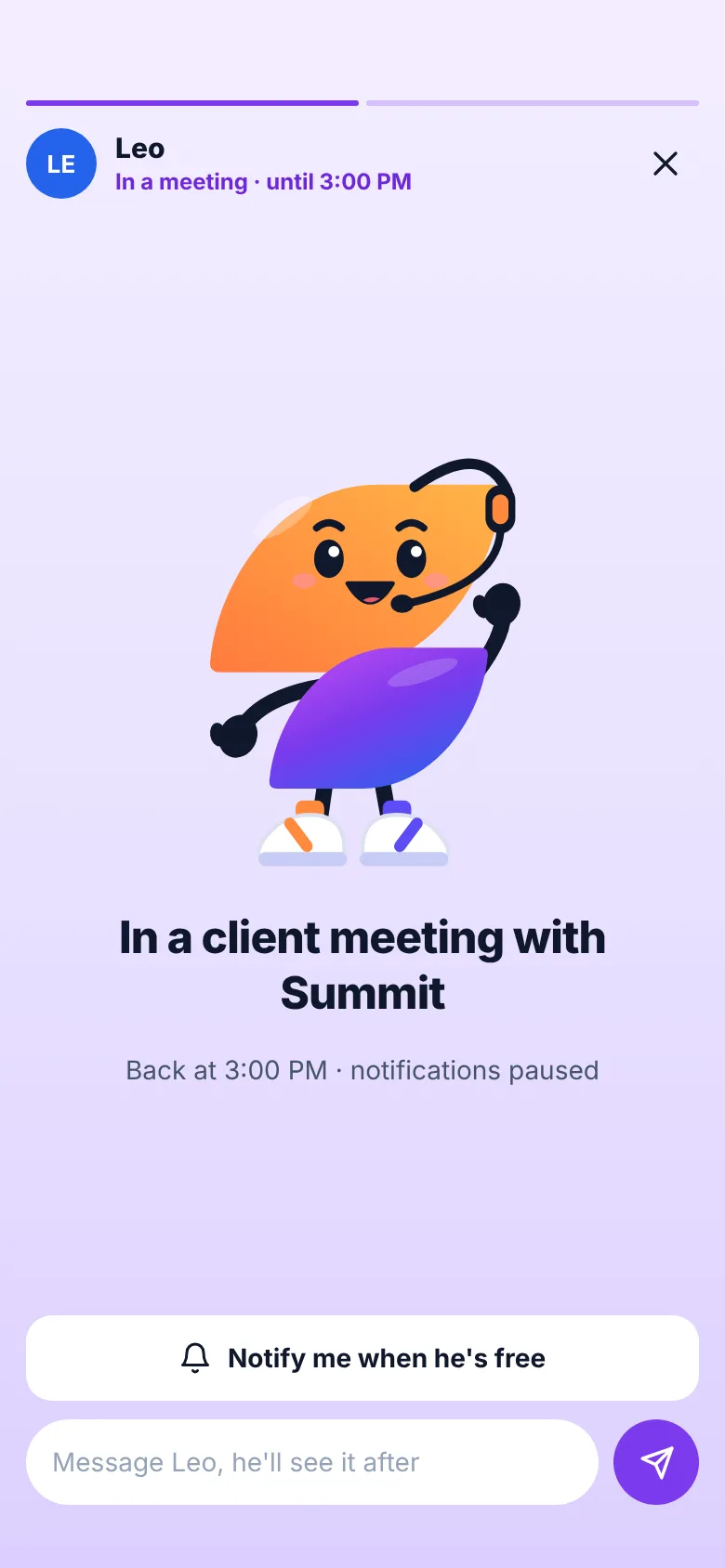
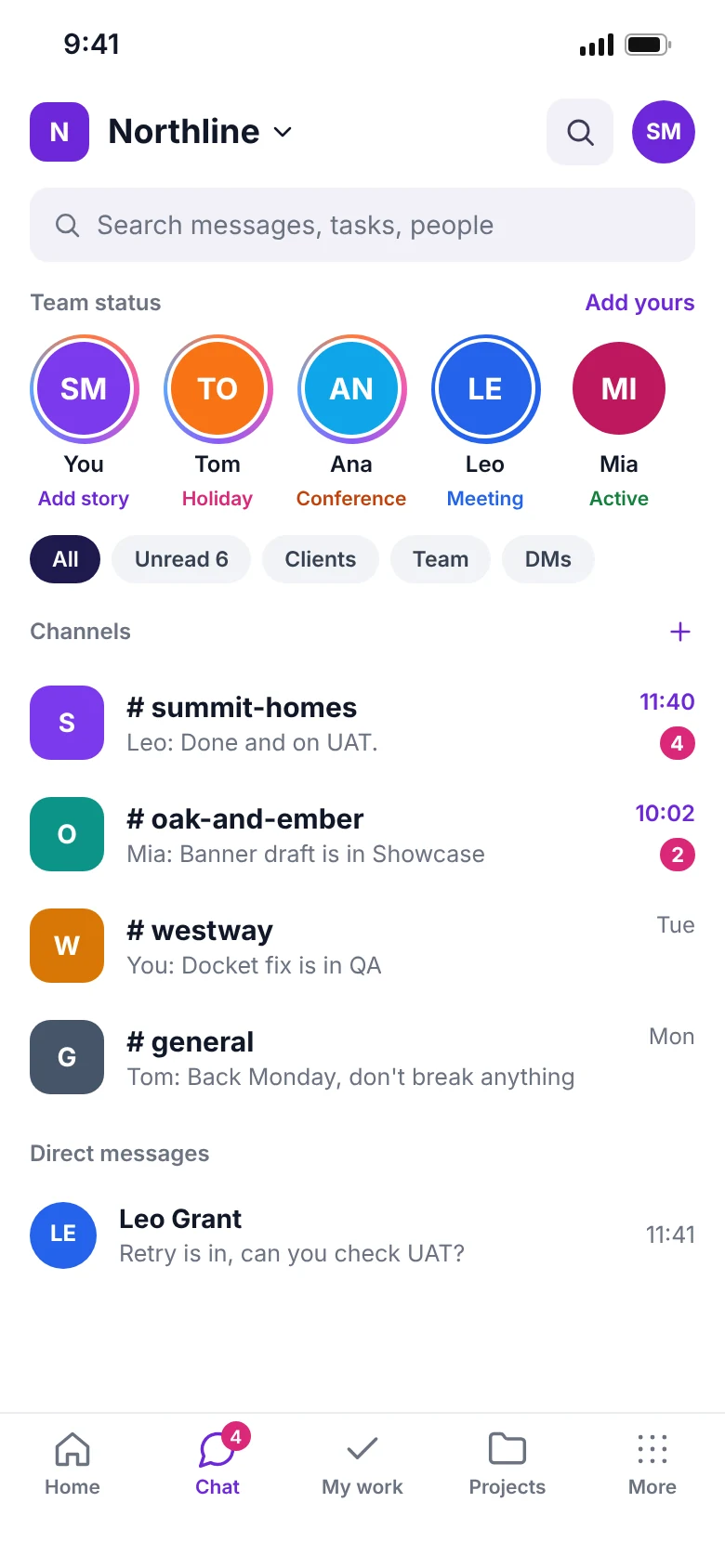
Every avatar shows what that person is up to. Pick a preset status like "In a meeting" in one tap, or share a photo story: the beach on your week off, the front row at a conference, or just your desk on a Friday. Tap a person to see theirs. When someone is away, Chapi lets the team and clients know with a friendly status cover.


Tea number three. Ship it Friday 🍵

Week off. The team is in great hands 🌴

Front row for the design keynote. Notes in #studio later.


Native apps for iPhone, Android and iPad, plus the web. Full-screen chat, GIFs, voice notes and photos, built for one thumb.


Whether it's your own roadmap or a client's launch, your work is confidential. Chapsi is designed so your data stays private, stays in the region you choose and stays yours.
Pick where your workspace lives when you sign up. Files, messages and Chapi's AI processing stay there.
TLS in transit, AES-256 at rest, and private file links that expire in minutes.
Every workspace is isolated at the database level. Chapi never trains on your content.
Google and Microsoft sign-in, 2-step verification and session control for every user.
Guests get their own space with only the designs and tickets you invite them to.
Every view, download, approval and permission change is logged.
Early access opens in 2027. Join the waitlist and we'll invite teams in small groups, with a founding-member price.
No. Clients join free as guests. They only see the channels, tickets and designs you share with them.
You choose your data region when you set up your workspace. Your files, messages and Chapi's AI processing stay in that region.
No. Chapi works only inside your workspace, with each person's permissions, and is never trained on your content.
Yes. Imports from the common chat, task and helpdesk tools are planned for launch, so you can move in a weekend.
Showcase is an add-on you can switch on for any plan. Clients review and approve designs for free.
Early access opens in 2027. Join the list for a founding-member price and a say in what we build next.
You're on the list. We'll be in touch before launch.